

Network Device Status PHP Script
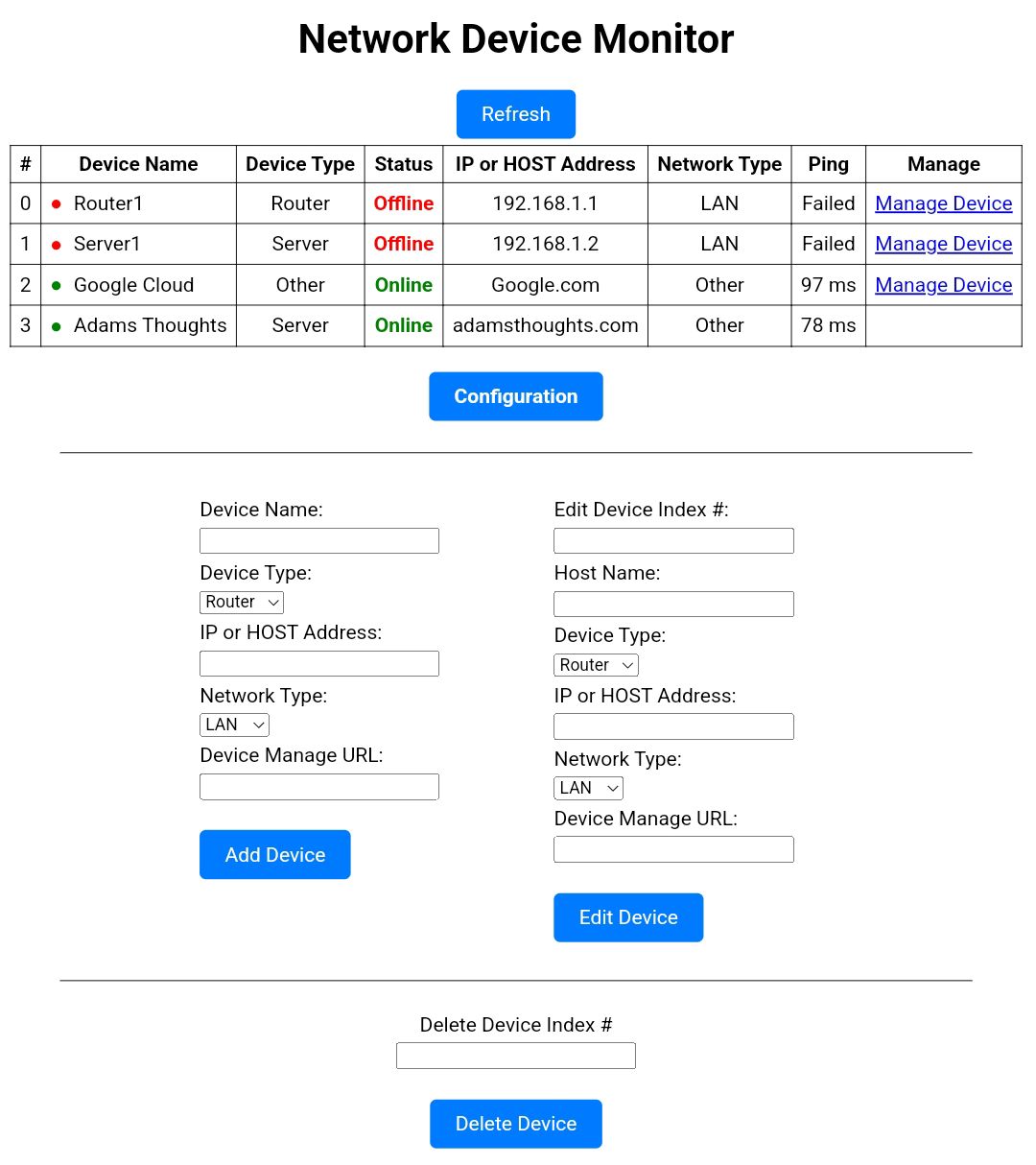
This script allows an administrator to monitor and manage network devices remotely in one single location. The script allows you to add new devices such as routers, servers, switches, and set the device type and the network (LAN, WAN, VPN, VLAN) it’s on. The setup is very simple and I used CSS to keep it customizable for the user. The config file allows you to customize the Device Type and Network labels if you want to change them. The script uses PHP and a little JavaScript. It does have a refresh button. In the future, I’ll add an auto-refresh in the configuration menu (or do it yourself, it’s simple. I just didn’t think about it until I was finished). This script is best used for intra use but it can be used public-facing. Adjust to your security policies.
Requirements:
- PHP 7.4 or Higher
- Apache 2.4 or Higher
- IIS 10 or Higher
- OpenSSL Extension Enabled (default setting)
- Internet Access for pinging and HTTPS Headers to remote locations (not required for LANs).
- PDO Extension enabled (default setting)
Setup Process
- Configure line 2 in index.php path to config.php
- Set config.php permissions.
Click here to view demo. Add or Editing is disabled in demo.
File Contents:
- index.php (main script)
- config.php (settings)
- style.css
- instructions.txt
Click here to download the script in zip format.
License: Open Source.
A donation is always appreciated in crypto. It took about 15 hours to write and debug.